

Appearance
Device Map
The Device Map shows the AV devices of the show and how they are connected: media servers, LED controllers, switchers, cameras, desks and so on.
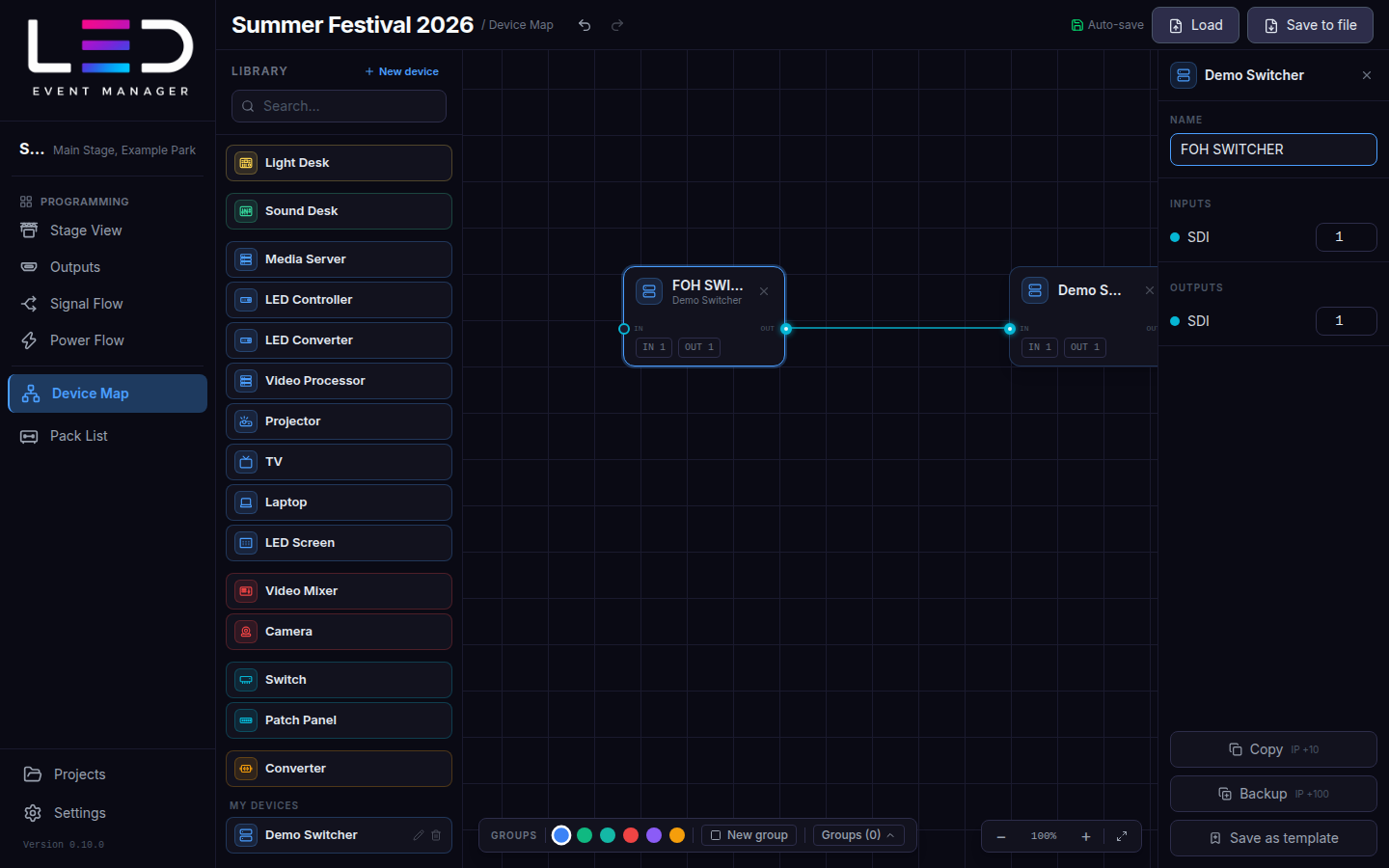
Add devices
- Drag a device from the Library (grouped by colour: control, video, signal distribution…) onto the map. Search filters the library.
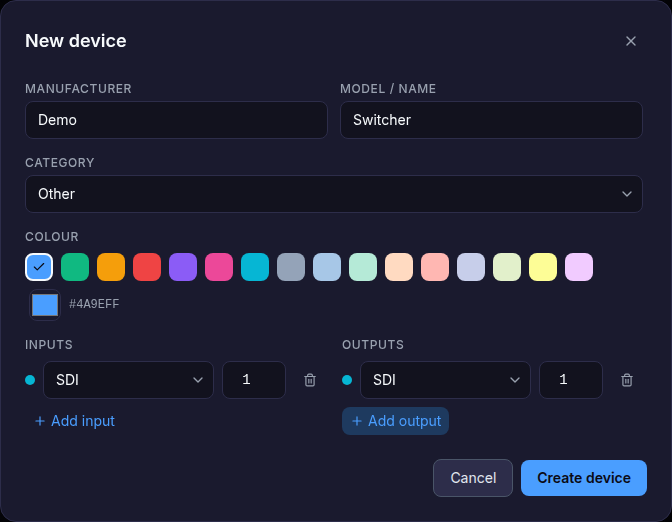
- New device creates your own device: manufacturer, model and its Inputs and Outputs with connector types (SDI, HDMI, DisplayPort, fibre, network, …). It is saved under My devices.
Connect devices
Drag from an output port of one device to an input port of another. The connection gets the cable type of the ports and appears in the Pack List.
Click a device to open its properties: Name (for example FOH SWITCHER), inputs and outputs, and Copy / Backup (duplicates the device with an IP offset) or Save as template.
Groups and selection
- Drag a frame on the empty map to select several devices and move them together.
- Groups: pick a colour and New group to frame related devices (for example "FOH", "Stage left"). Groups (N) lists them.
- Ctrl/⌘ + C / V / D copy, paste and duplicate; Delete / Backspace removes the selection.