

Appearance
Dashboard & report
Click the project name at the top of the sidebar to open the Dashboard — the summary of the event.
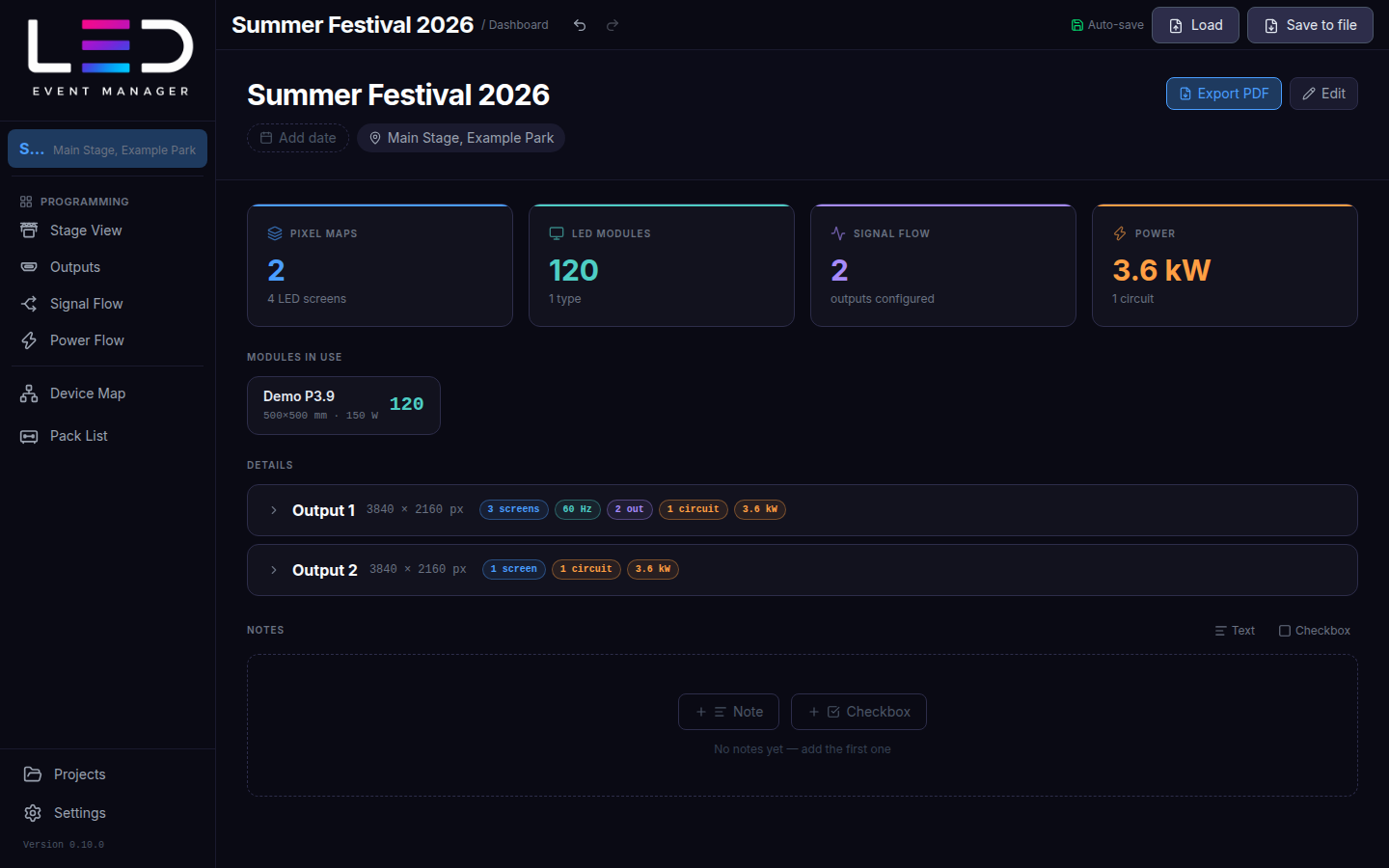
- Header — project name, dates and location. Edit changes them.
- Pixel Maps, LED modules, Signal Flow, Power — the key numbers of the show.
- Modules in use — every cabinet type and how many are used.
- Details — one row per output with its screens, refresh rate, ports, circuits and power; expand it to see the layout.
- Notes — text notes and checkboxes (a to-do list for the show); drag to reorder.
Technical report (PDF)
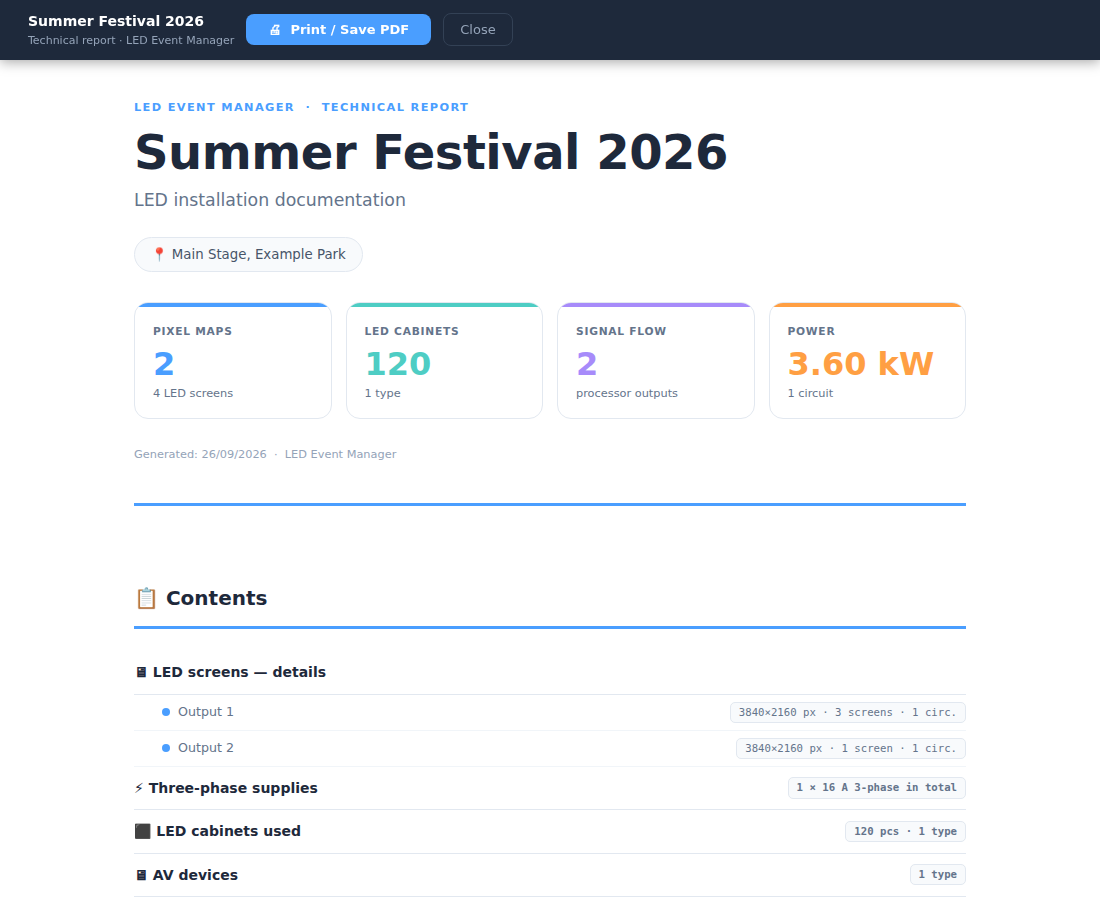
Export PDF (or Ctrl/⌘ + P) builds the technical report: contents, LED screens in detail with pixel map, signal and power drawings per output, three-phase supplies, LED cabinets used, AV devices, the pack list, device connections and notes.
Trial
Export, including the PDF report, is not available in the trial.