

Appearance
Export
The Export button (⬇) in the Stage View toolbar opens one dialog for every pixel-map export.
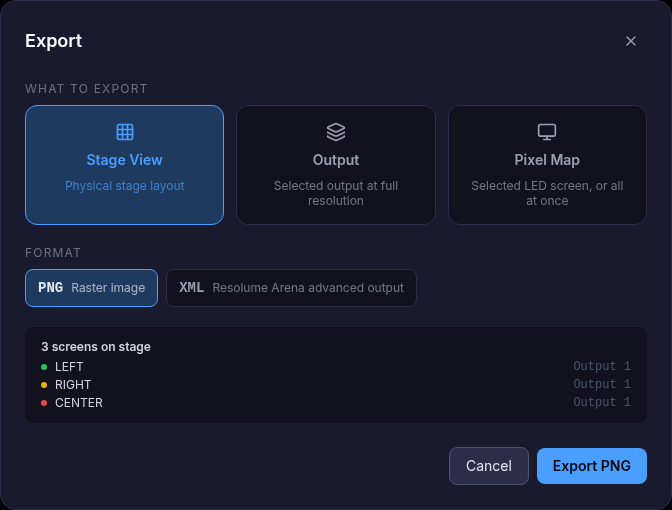
What to export
| Target | Result |
|---|---|
| Stage View | The physical stage layout |
| Workspace | All outputs in one file |
| Output | One output, or all outputs, at full resolution |
| Pixel Map | One LED screen, or all of them |
Format
| Format | Use |
|---|---|
| PNG — raster image | Content templates, test patterns |
| SVG — vector pixel map | Editing in design tools; one file per output |
| XML — Resolume Arena Advanced Output | One file with a screen per output and one slice per LED screen, ready to import in Resolume |
When several files are exported, the app asks for a folder and saves them there.
Other exports
| Where | What |
|---|---|
| Signal Flow → Export PNG | Cabling drawing per output / screen, or all at once |
| Power Flow → Export PNG | Power drawing per screen, or all with circuits |
| Pack List → Export PDF | The pack list |
| Dashboard → Export PDF | The full technical report |
| Projects → Save to file Team plan | The project itself (.json / .zip) |
Trial
Export is not available in the trial. Project files need the Team plan.