

Appearance
What is LED Event Manager?
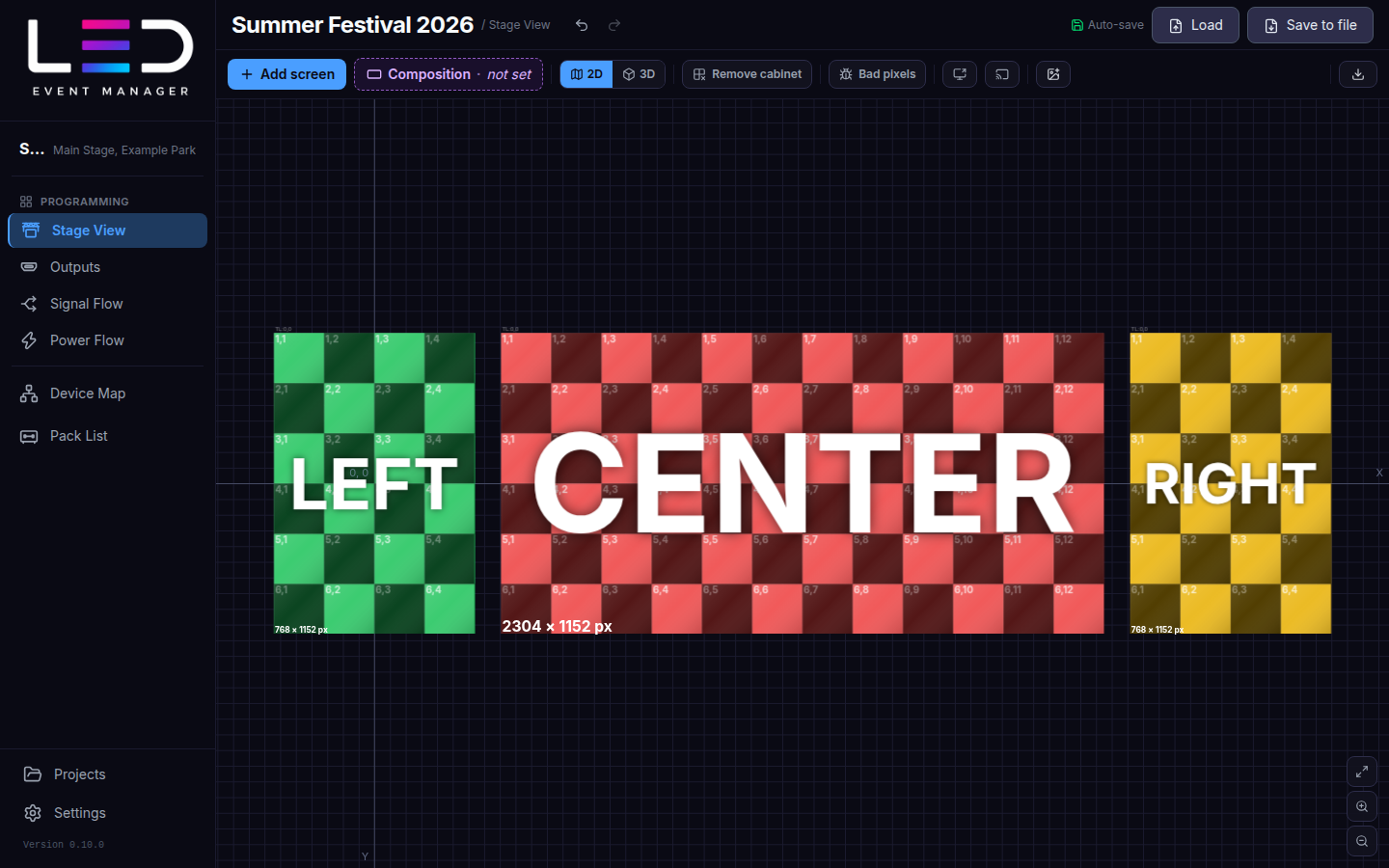
LED Event Manager is a desktop application for planning LED screen installations for events: concerts, festivals, conferences and TV studios. You build the stage once and the app keeps every part of the technical documentation in sync with it:
| Module | What you do there |
|---|---|
| Projects | Create, open, duplicate and archive events. |
| Stage View | Add LED screens and arrange them in 2D / 3D. |
| Outputs | Map screens onto processor or media-server outputs (pixel maps). |
| Signal Flow | Draw the data cabling through the cabinets. |
| Power Flow | Draw power circuits and balance three-phase supplies. |
| Device Map | Connect the AV devices of the show. |
| Pack List | Get the list of cabinets, devices and cables to load on the truck. |
| Dashboard | See the event at a glance and export the technical report (PDF). |
Key facts
- Works offline. Projects are stored on your computer and every change is kept as you work; see Saving for the save point and Recover. No internet connection is needed to work.
- Windows and macOS. See Getting started for the system requirements.
- Eight UI languages: English, Polski, 한국어, Português (Brasil), Português, Español, 中文, 日本語. Change the language in Settings.
- Plans. A 7-day trial, Individual and Team. Features that need the Team plan are marked with Team plan throughout this guide — see Plans.